Import from Raycast
Bring your snippets, quicklinks, and app hotkeys over from Raycast in one step.
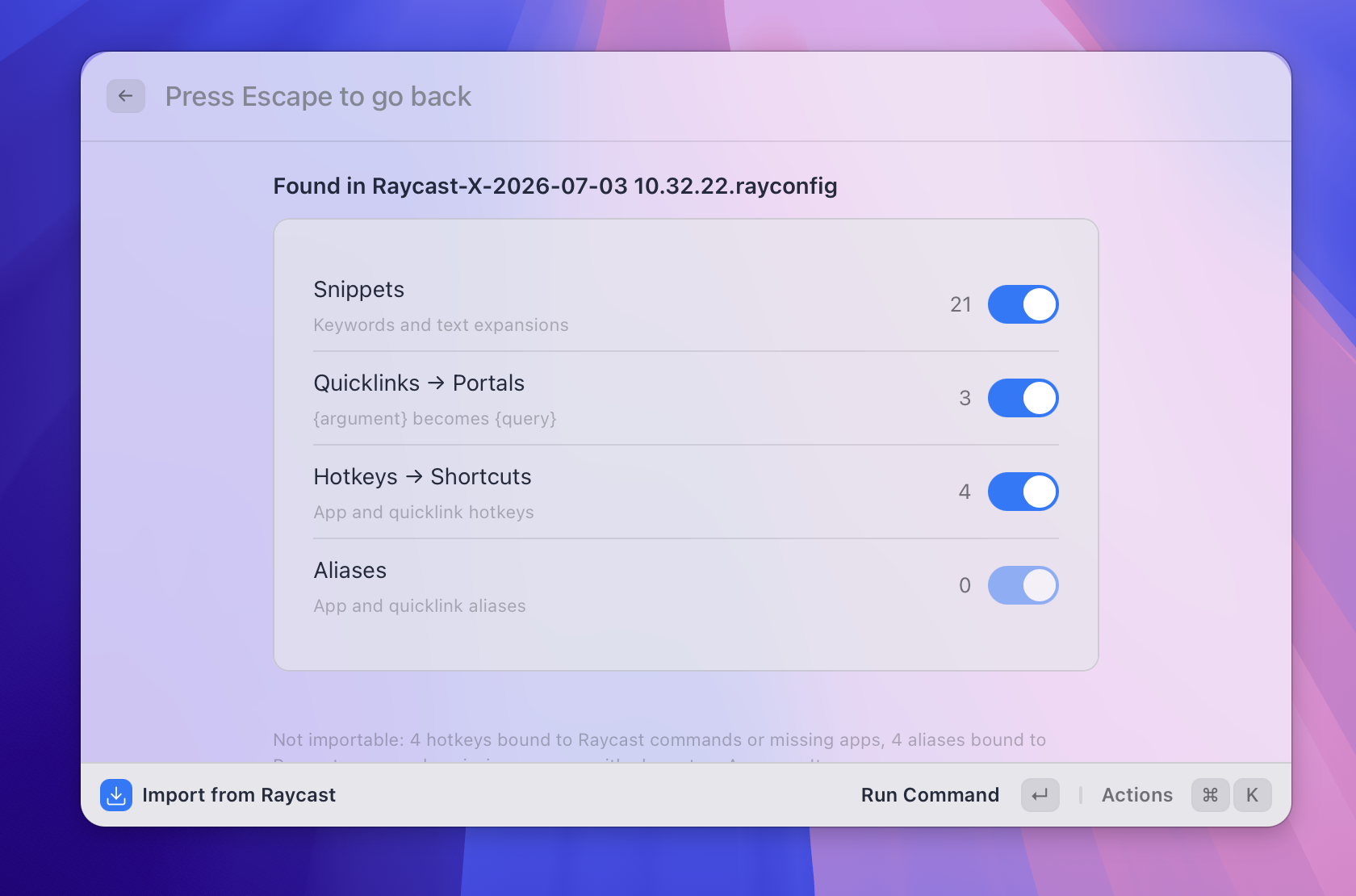 Figure: the preview screen showing how many items were found in each category.
What it does
The Raycast importer reads an export file from Raycast and turns it into Asyar snippets, portals, shortcuts, and aliases — so switching over doesn't mean rebuilding everything by hand.
It accepts three kinds of files:
- Raycast export (
.rayconfig) — the file created by Raycast's Export Settings & Data command. Works whether or not you set an export password. - Classic Raycast export (
.rayconfig) — the older export format from Raycast's original macOS app. - Plain JSON exports — the files created by Raycast's Export Snippets or Export Quicklinks commands.
Each Raycast item type maps to an Asyar equivalent:
| Raycast | Becomes in Asyar |
|---|---|
| Snippets (with keyword and text) | Snippets |
| Quicklinks | Portals |
| App hotkeys | Item shortcuts |
| App and quicklink aliases | Aliases |
Hotkeys and aliases bound to Raycast's own built-in commands or third-party extensions have no Asyar equivalent and are not imported — Asyar shows how many were skipped so nothing silently disappears.
How to use it
To start an import, use any of these:
- Open Asyar and search for Import from Raycast, or
- Open Settings → Backup and click Import from Raycast…, or
- On your very first run, use the Coming from Raycast? button on the Welcome screen.
Then, in the import view:
- Click Choose export file… and select your Raycast export.
- If the file is password-protected, enter the password you set in Raycast when you exported it.
- Review the preview screen — it shows how many Snippets, Portals, Shortcuts, and Aliases were found. Turn off any category you don't want to bring in.
- Click Import. A summary shows how many items were added versus skipped as duplicates.
You can run the importer more than once — items that already exist in Asyar (matched by name and content for snippets, name and URL for portals) are skipped rather than duplicated, so re-running it after adding more things in Raycast is safe.
Tips
- Placeholders carry over — Raycast's
{argument}and{Query}tokens become Asyar's{query};{clipboard}becomes{Clipboard Text}. Unrecognized tokens are left as-is rather than dropped. - Only installed apps get hotkeys/aliases — an app hotkey or alias only imports if the app is actually installed and indexed on this computer.
- Alias rules still apply — an alias must be 1–10 lowercase letters or digits (see Aliases & Shortcuts). A Raycast alias with other characters is skipped rather than imported broken.
- Nothing is deleted from Raycast — importing only reads the export file; your Raycast setup is untouched.